
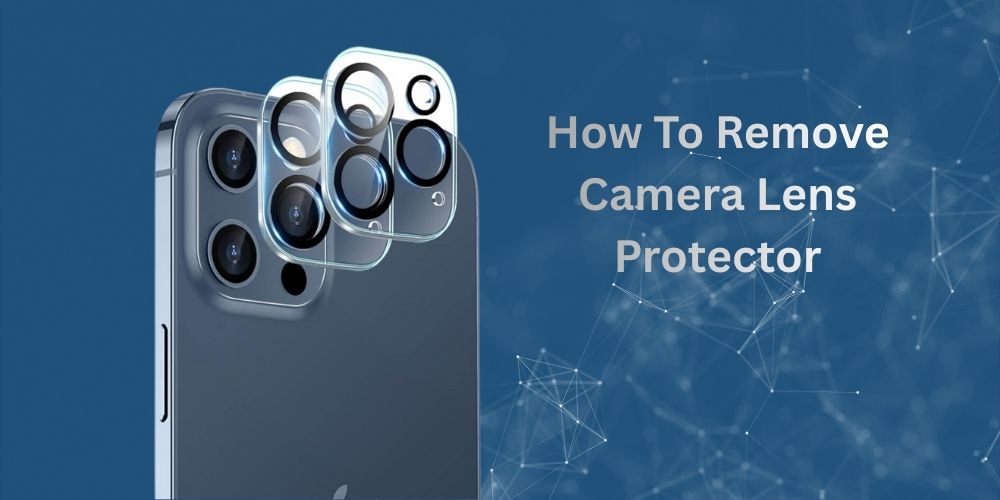
Struggling with a foggy, scratched lens protector blocking your perfect shot? Learning how to remove a camera lens protector is a game-changer for any photographer. A camera lens protector is a small but essential accessory designed to shield your lens from scratches, dust, fingerprints, and accidental damage. Whether you’re using a DSLR, mirrorless camera, action camera, or smartphone, a lens protector helps preserve image quality and extend the life of your equipment. However, there may come a time when you need to remove it, perhaps it’s cracked, scratched, poorly aligned, or affecting your photos with glare or reduced sharpness.
Removing a camera lens protector requires care and patience to avoid damaging the lens underneath. Using the right tools and techniques is crucial, especially when dealing with adhesive-backed protectors. In this guide, you’ll learn safe, effective methods for removing a camera lens protector without damaging your valuable gear. Follow these steps to ensure your lens remains clean, scratch-free, and ready to capture sharp, high-quality images every time.
Why Bother Learning How to Remove a Camera Lens Protector?
Picture this: You’re out shooting golden hour portraits, but your lens protector is fogged from yesterday’s drizzle. Or worse, it’s yellowed, stealing sharpness from your shots. Knowing how to remove a camera lens protector isn’t just handy; it’s essential for maintaining peak performance.
Lens protectors (aka clear filters or UV shields) sit like a bouncer at your lens’s front door. They block:
- UV rays: Prevent lens haze over time.
- Scratches: From bag zippers or beach sand.
- Dust and smudges: Easier to clean than the actual lens coating.
But here’s the catch: they sacrifice themselves. After 6-18 months (pro use speeds this up), they degrade. Removal lets you inspect your real lens, upgrade to premium glass, or go bare for ultimate clarity. Fun fact: Pros like wedding photographers swap weekly in harsh conditions.
Reasons to remove now:
- Visible scratches reduce contrast.
- Bubbles or peeling edges.
- Interference with matte boxes or follow-focus gear.
- Simple curiosity, testing naked lens bokeh.
Ignoring it? You risk permanent damage from grinding debris. Ready? Let’s classify them first.
Understanding Every Type of Camera Lens Protector (And Removal Differences)
How to remove a camera lens protector hinges on the type. Mislabeled? Disaster. Here’s the full lineup, with pros/cons and removal quirks:
1. Screw-On UV/Clear Filters (80% of Users)
- Examples: Hoya HMC, B+W Clear, Tiffen UV.
- Sizes: 49mm (compact cams) to 95mm+ (telephotos).
- Why stuck? Cross-threading or dried grime.
- Removal ease: Beginner-friendly.
2. Circular Polarisers (CPL) as Protectors
- Twist: Rotate for polarisation, screw like UV.
- Quirk: Stuck rotation needs rocking motion.
- Best for: Landscape shooters blocking glare.
3. Adhesive Film/Skin Protectors
- Examples: SkinzIt or generic tempered film for mirrorless (Fujifilm X100V, Sony RX100 VII).
- Thin as paper, bonds directly.
- Removal: Heat + peel; residue-heavy.
4. Tempered Glass Snap-Ons
- Magnetic or clip: For action cams or drones.
- Examples: Peak Design or GoPro shields.
- Fast but fragile.
5. Hybrid/Frame Protectors
- For cinema lenses: Metal frames with glass inserts.
- Pro removal: Tools only.
6. Smartphone/Compact Specifics
- iPhone or Android lens skins: Nano-adhesive.
- Quirk: Tiny size demands precision.
Match your type? Great. For vintage Leica or Nikon F-mount? Same principles, gentler touch.
Essential Tools for Safely Removing a Camera Lens Protector
Don’t wing it, tools make how to remove camera lens protector foolproof. Budget kit ($15-40):
- Rubber lens wrench: Flexible grip for 37-105mm filters (e.g., JJC or Neewer).
- Lens spanner: Pin tool for stubborn rims.
- Microfiber cloths: 2-3 pack, plus blower (Giottos Rocket).
- Cleaning fluids: Ethanol-based (Eclipse, Zeiss Lens Wipes).
- Pry tools: Plastic spudger or orange stick.
- Isopropyl alcohol (99%): Residue remover.
- Hairdryer or heat gun: Low-heat for adhesives.
- Extras: Painter’s tape, nitrile gloves, LED magnifier.
Pro upgrade: K&F Concept filter wrench set ($12). Store in a pouch always.
Detailed Step-by-Step: Removing Screw-On Camera Lens Protectors
Most common for DSLRs/mirrorless like Canon EOS R5 or Nikon Z6. How to remove a camera lens protector screw-on style:
Prep Phase (5 Minutes)
- Environment check: Clean table, soft mat (no hard surfaces). Indoor, low-humidity.
- Camera prep: Power off, battery out, strap secured. Lock zoom if applicable.
- Dust patrol: Blower blasts threads for 10 seconds. Inspect with light.
Unscrew Phase (30 Seconds)
- Grip right: Rubber tool at 3 and 9 o’clock. Steady body with the left hand.
- Twist counterclockwise: Slow, even pressure. Hear clicks? Normal.
- Rock if resistant: Tiny back-forth, never force >10% effort.
Post-Removal (2 Minutes)
- Immediate wipe: Fluid-microfiber combo. Circular then linear strokes.
- Inspect: Torchlight at 45°—no haze? Good.
Example: On a 77mm Sony 24-70mm GM, rubber band wraps add 20% grip.
Expert Guide: Removing Adhesive Film Camera Lens Protectors
Removing adhesive film from camera lens protectors requires care to avoid damaging the lens. Here’s how to do it safely:
What You’ll Need:
- Microfiber cloth
- Isopropyl alcohol (90% or higher recommended)
- Plastic card or guitar pick
- Cotton swabs
- Lens cleaning solution (optional)
Step-by-Step Process:
1. Start with a corner
Use your fingernail or a plastic card to gently lift one corner of the film. Avoid metal tools that could scratch the lens surface.
2. Peel slowly and steadily
Once you have a corner lifted, pull the film back slowly at a low angle (almost parallel to the surface). This reduces the chance of leaving residue behind.
3. Remove adhesive residue
If sticky residue remains, dampen a microfiber cloth with isopropyl alcohol and gently rub in circular motions. The alcohol will break down the adhesive without harming the lens coating.
4. Use cotton swabs for edges
For residue around the lens rim or hard-to-reach areas, use alcohol-dampened cotton swabs for precision cleaning.
5. Final cleaning
Once all adhesive is removed, clean the lens with a proper lens cleaning solution and a clean microfiber cloth to ensure no streaks or residue remain.
Tips
- Work in a well-lit area so you can see any remaining residue
- Be patient; rushing can damage coatings or leave more residue
- If the film is very old and brittle, apply gentle heat (like holding the device in your warm hands) to soften the adhesive first
- Never use harsh chemicals like acetone or nail polish remover, which can damage lens coatings
Is there a specific type of camera or lens protector you’re working with?
Troubleshooting: How to Remove a Stuck Camera Lens Protector
When a camera lens protector won’t budge, you need a more strategic approach. Here’s how to handle stubborn protectors:
1: Heat Method (Most Effective for Adhesive Film)
Why it works: Heat softens the adhesive, making it easier to peel off without leaving residue.
Apply gentle, even heat using a hair dryer on low setting for 20-30 seconds, keeping it about 6 inches away from the lens. The protector should feel warm but not hot to the touch. Immediately try lifting a corner with a thin plastic card or your fingernail while the adhesive is soft. If it doesn’t lift easily, apply heat for another 10-15 seconds and try again.
2: For Glass Protectors That Won’t Lift
Create leverage: Slide a piece of dental floss or thin fishing line under one edge. Gently work it back and forth to break the adhesive seal, then slide the floss underneath the protector while maintaining tension.
Suction method: If the glass protector is intact, try using a small suction cup (like those used for phone screen removal). Apply it to the centre, pull gently while sliding a card underneath the lifted edge.
3: If the Protector Is Cracked or Shattered
Apply clear packing tape over the entire surface to hold pieces together, then use the heat method before attempting removal. This prevents glass fragments from spreading and gives you something to grip.
4: Dealing with Extremely Stubborn Adhesive
Create a solution of warm water with a drop of dish soap. Use a cotton swab to carefully apply it around the edges where the protector meets the lens housing. Let it sit for 2-3 minutes to penetrate the adhesive, then try the plastic card method again.
For residue that won’t come off with isopropyl alcohol, try these alternatives in order: Goo Gone (applied sparingly with a cotton swab), WD-40 (a tiny amount on a cloth, not directly on the lens), or a rubber eraser to gently roll away adhesive.
What NOT to Do:
- Don’t use metal tools like knives or razor blades; they will scratch your lens
- Avoid excessive force, which can crack the lens or damage internal components
- Don’t apply heat for extended periods (over 1 minute continuously)
- Never use acetone, nail polish remover, or harsh solvents on camera lenses
Still Won’t Come Off?
If you’ve tried these methods and the protector remains stuck, consider taking it to a phone repair shop or camera store. Professional removal typically costs $10-20 and ensures your lens won’t be damaged. Sometimes the protective adhesive has bonded with lens coatings in a way that requires specialised tools to safely remove.
Camera-Specific Guides: How to Remove Camera Lens Protector by Model
Different devices have unique lens configurations that require specific removal techniques. Here’s a breakdown by manufacturer and model type.
1: Sony (A7 Series, RX100)
55-67mm filters on A7 III, A7 IV, A7R V:
- These mid-range filter sizes can cross-thread or seize if over-tightened. Magnetic filter systems like PolarPro or K&F Concept make removal effortless, the magnetic adapter stays on your lens permanently, and filters simply snap on and off. If you’re dealing with a stuck threaded filter, a rubber filter wrench provides the grip you need without scratching the filter ring.
RX100 series adhesive films:
- The compact RX100 VII and earlier models often have aftermarket adhesive film protectors on the built-in lens. Apply heat for just 15-20 seconds; the small lens barrel can’t dissipate heat quickly, and internal components sit close to the surface. Start peeling from the bottom edge where the lens meets the body, as this gives you the most leverage without blocking your view of what you’re doing.
2: Fujifilm (X-T5, X100VI)
APS-C sensor cameras with curved lens elements:
- Fujifilm’s X-series lenses, particularly the fast primes (f/1.4, f/2), have curved front elements that make flat adhesive films problematic. The film often doesn’t adhere evenly, creating air pockets at the edges. When removing these, the curve means you can’t use a flat card effectively.
X100V and X100VI films: Pry from the bottom:
- The fixed 23mm f/2 lens on X100 models sits recessed behind a protective ring. Adhesive protectors on these are notoriously difficult. Start your removal at the 6 o’clock position (bottom of lens) where the protector edge is most accessible. Use a plastic guitar pick rather than a card—the pointed tip can slip under the curved film more easily. Work the pick in small movements around the circumference rather than trying to lift the entire film at once.
The X-T5 with interchangeable lenses follows standard filter removal—just be aware that Fujifilm’s 16-80mm f/4 kit lens uses a 72mm filter, larger than many people expect for an APS-C lens.
3: Canon/Nikon DSLRs (R6, Z8)
Heavy bodies—table clamp helps:
- Full-frame mirrorless, like the Canon R6 Mark II or Nikon Z8, with attached lenses, can weigh 2-3 pounds. Trying to hold this setup while applying force to remove a stuck filter is asking for drops. Use a camera clamp or tripod mounting plate to secure the body to your work surface. This lets you use both hands on the filter while the camera stays stable.
For the Canon R5/R6 series with RF lenses, note that many RF lenses use 77mm or 82mm filters—larger than their EF predecessors. More surface area means more potential for cross-threading.
Telephotos: Extend first:
- When removing filters from telephoto zoom lenses (like Canon RF 100-500mm or Nikon Z 100-400mm), extend the lens to its longest focal length first. This prevents internal lens elements from moving while you’re applying torque to the filter threads. The extended position locks the internal barrel and gives you a more stable platform. After removal, immediately retract the lens before setting it down to protect the extended elements.
4: Smartphone (iPhone 15 Pro, Pixel 9)
Tiny 1cm protectors: Fingernail pry post-heat:
- Modern flagship phones have camera lenses around 8-12mm in diameter. Film protectors this small require precision. Heat the camera module for 20 seconds, then use the edge of your fingernail, not the flat part, positioned at a 45-degree angle to the protector surface. You need the sharp edge to slip under without your finger blocking your view.
iPhone 15 Pro/Pro Max specifics:
- The titanium frame conducts heat differently than aluminium, so the camera island may take slightly longer to warm. The three-lens array means you’re often removing three separate small protectors. Do them individually rather than trying to heat all at once; the LiDAR scanner between them is sensitive to prolonged heat exposure.
Google Pixel 9/9 Pro camera bar:
- The elongated horizontal bar design means protectors are often one continuous piece. Heat the entire bar for 25-30 seconds, making sure to move the hair dryer along the full length. Start peeling from the left or right end (not the centre) and maintain a steady, slow pull parallel to the bar’s length. If it tears midway, you’ll have two stubborn sections to deal with instead of one.
5: Drones/GoPro
DJI Mini/Air series snap-offs: Twist base counterclockwise:
- DJI’s compact drones (Mini 4 Pro, Air 3) use snap-on lens protectors with a bayonet-style mount. These aren’t adhesive; they twist and lock. To remove, look for the small alignment mark on the protector’s base ring. While supporting the gimbal gently with one finger underneath, grip the protector’s outer ring and rotate counterclockwise (when viewing from the front of the drone) about 15-20 degrees until you feel it release. Pull straight forward, never at an angle, to avoid stressing the delicate gimbal motors.
If a snap-on protector seems stuck, it’s usually because the locking tabs have collected dust or moisture. A single drop of isopropyl alcohol where the protector meets the gimbal, followed by a 30-second wait, usually loosens it enough for normal removal.
GoPro Hero 11/12 Black:
- The Protective Lens Replacement system uses a similar twist-lock mechanism. Grip the lens cover’s outer edge (not the centre glass) and rotate counterclockwise. These can stiffen in cold weather, if you’ve been shooting in temperatures below 40°F, warm the camera to room temperature for 10 minutes before attempting removal to avoid cracking the plastic tabs.
For adhesive film protectors added on top of GoPro’s original lens cover, use minimal heat (15 seconds max) and peel from the top edge. The small surface area means you have a limited grip area, using tweezers to grab a lifted corner can help, but grip the film itself, not the lens.
Insta360 dual-lens cameras (X3, X4)
- These 360-degree cameras have large protruding lenses on both sides. The official lens guards snap on, but aftermarket adhesive protectors are common. When removing adhesive films from these, work with the camera lying flat on a soft surface, one side at a time. The spherical lens shape (necessary for 360 capture) means films never adhere perfectly at the edges, start your peel from these naturally loose spots rather than trying to lift from the centre where adhesion is strongest.
Universal Pro Tips Across All Models:
1: Filter wrenches come in sizes: If you shoot with multiple cameras, a filter wrench kit (typically $15-25) with adapters for 52mm-82mm filters will save you from fighting stuck filters. Rubber jar openers also work in a pinch.
2: Cold cameras = stubborn adhesive: If your camera has been in cold storage or a cold car, let it warm to room temperature before attempting protector removal. Cold adhesive becomes brittle and tears rather than peeling cleanly.
3: Salt water and filters: If you’ve been shooting near oceans, salt spray can effectively cement filters onto lens threads. Soak the filter ring (not the camera body) with fresh water for 5 minutes before attempting removal. For cameras, use a damp cloth around the filter edge only.
4: Lens caps prevent the problem: Many stuck filters could have been avoided with proper lens caps during storage. The cap prevents accidental over-tightening from bumps and keeps debris out of the threads.
Top 10 Mistakes People Make When Removing Camera Lens Protectors (And Fixes)
1. Using Excessive Force:
Many people try to unscrew the protector with brute strength, thinking it’s stuck. This often strips the threading on either the lens or the protector. Instead, apply steady, moderate pressure and let the threads do the work. If it truly won’t budge, try using a lens cap removal tool or a rubber grip pad for better traction without forcing it.
2. Applying Torque to the Lens Itself:
A common instinct is to hold the lens barrel while unscrewing the filter, but this puts strain on the lens’s internal elements and threading. Always stabilise the camera body instead by holding it firmly. This keeps all the stress on the filter ring where it belongs.
3. Forgetting to Use Two Hands:
Trying to unscrew with one hand while holding the camera loosely invites accidents. Grip the camera body securely with one hand and use your other hand on the filter ring. This gives you control and prevents the lens from rotating, which can damage internal mechanisms.
4. Twisting the Wrong Direction:
It seems obvious, but people do twist counterclockwise when they should twist clockwise (or vice versa), especially when tired or distracted. Remember: “righty-loosey, lefty-tighty”, counterclockwise removes, clockwise tightens. Take a moment to confirm before applying force.
5. Waiting Until It’s Damaged to Remove It:
Waiting until a filter is cracked, scratched, or heavily stuck makes removal much harder. Remove protectors regularly during maintenance to keep threads clean and the process easy. This also lets you inspect the lens underneath.
6. Not Cleaning the Threads First:
Dirt, sand, or salt spray on the filter threads creates resistance and makes removal difficult. Before attempting to unscrew, gently wipe the outer edge where the filter meets the lens with a soft, dry cloth. This prevents grinding debris into the threads.
7. Ignoring the “Click” or Resistance Point“
Some filters have a slight click or stopping point when fully tightened. Not recognising this means you might continue forcing it tighter after it’s already fully seated. When you feel that resistance, stop immediately; it’s already tight enough.
8. Removing the Filter in Dusty Conditions:
Exposing your lens to dust, wind, or humid air during removal is risky. If you must remove a filter outdoors, do it quickly and shield the lens with your body or change lenses indoors in a clean environment. Dust on the sensor is expensive to fix.
9. Using Improper Tools:
Attempting to use pliers, wrenches, or makeshift tools risks slipping and damaging the delicate filter ring or lens barrel. If the filter is stuck, use proper tools like a lens filter wrench designed for the job, or apply a small amount of rubbing alcohol to the threads to help release it naturally over a few minutes.
10. Not Checking for Cross-Threading:
Starting the unscrewing at a slight angle can cause the threads to cross, making the situation worse. Before turning, align the filter squarely with the lens opening and feel for smooth engagement. If you sense grinding or misalignment, stop, back off, and restart carefully.
Prevention Tips:
Avoid most of these issues by installing protectors correctly from the start—hand-tight only, no tools needed. Store your camera with the protector already on, clean threads regularly with a dry cloth, and remove filters monthly to ensure they don’t seize. Using quality filters with smooth, well-machined threads also reduces problems significantly.
Ultimate Safety Protocols for How to Remove a Camera Lens Protector
Safety isn’t optional when how to remove a camera lens protector; your lens could cost more than a month’s rent. One slip means scratches, cracks, or total replacement. Follow these ironclad protocols to keep your gear pristine, whether in a humid Lahore workshop or a dusty field.
Workspace Setup (Zero Excuses)
- Clean zone: Dust-free table, 2×2 ft minimum. Cover with a microfiber mat, no wood or metal.
- Lighting mastery: 1000+ lumens LED (phone flashlight + desk lamp). Shadows hide grit.
- Distraction ban: No kids, pets, or calls. Lock the door for a 10-minute focus.
Body and Hands Prep
- Gloves: Nitrile (powder-free) prevent oils. Cheap pack: $5.
- Steady hold: Sit comfortably, elbows on the table. Use a camera strap as an anchor.
- Battery out: Powers off iris—prevents accidental exposure.
Tool Hygiene Checklist
| Step | Action | Why It Saves Your Lens |
|---|---|---|
| 1 | Blower blast (10s per area) | Shields anodising from slips |
| 2 | Inspect tools (no burrs) | Sharp edges = instant scratches |
| 3 | Tape barrel (painter’s blue) | Shields anodizing from slips |
During Removal Safeguards
- Rock, don’t yank: Max 10% force. Feel resistance? Stop, re-prep.
- Naked lens rule: Never set down exposed—handheld or capped instantly.
- Heat caution: Hairdryer <50°C; test on wrist first for films.
Environmental Hazards
- Humidity dodge: <60% RH; Lahore monsoons? AC on.
- Temp control: 18-25°C. Heat expands, cold contracts threads.
- Wind/outdoors: Never—airborne sand is enemy #1.
Post-Removal Audit
- Torchlight spin: 360° haze check.
- Test mount: Screw cap on/off smoothly.
- Log it: Date, notes (e.g., “Minor thread wear”).
Real story: A Fujifilm X-T5 user in Pakistan skipped gloves, oily thumbprint etched the coating. $200 repair. Protocols prevent that.
Pro Add-Ons: Lens hood during process; second person spotter for big telephotos. For how to remove a camera lens protector on tripods, lower it fully first.
Post-Removal Mastery: Cleaning, Inspection, and Reinstallation
Removal done? Level up your lens.
Cleaning Routine:
- Blower (10s).
- One drop of fluid on cloth (never lens).
- Wipe: Circle outer, line inner.
- Dry buff. Repeat if streaks.
Inspection Checklist:
- Scratches: Magnify x10.
- Fungus: Webby spots? UV kill.
- Separation: Oil leaks? Pro repair.
- Coatings: Rainbow? Intact.
Reapplying a New Protector:
- Match size (check barrel).
- Brands ranked: B+W > Hoya > Amazon Basics.
- Screw: 1/4 turn past snug.
- Test: Shoot test chart.
Maintenance schedule: Monthly cleans, quarterly swaps.
Comparisons: Best Tools and Protectors for Removing Camera Lens Protectors
| Tool/Protector | Price | Best For | Removal Ease | Durability |
|---|---|---|---|---|
| JJC Rubber Wrench | $8 | Screw-on | 9/10 | High |
| Giottos Blower | $25 | All | Essential | Forever |
| Hoya HD3 UV | $50 | Replacement | N/A | Top-tier |
| SkinzIt Film | $15 | Compacts | Heat-peel | Good |
| K&F Spanner | $12 | Stuck | 8/10 | Metal |
Winner: JJC kit for value.
Conclusion
There you have it, the definitive guide on how to remove a camera lens protector, from simple twists to stubborn adhesive battles. Armed with the right tools, steps, and troubleshooting hacks, you’ll swap protectors confidently, keeping your optics pristine for razor-sharp images. Remember: Prep your space, grip gently, clean meticulously, and inspect every time. Avoid common pitfalls like forcing stuck filters or skipping dust removal, and always have a quality replacement ready, think B+W or Hoya for top clarity.
This skill saves money on repairs, boosts your gear’s longevity, and lets you adapt on the fly, whether chasing Lahore sunsets or studio perfection. Practice once, and it’ll become second nature. Your camera deserves bare, flawless glass when it counts. Now go remove that old protector, capture your best work yet, and share your wins below!
People May Ask
Q: How long does it take to remove a screw-on camera lens protector?
A: Typically 30 seconds to 2 minutes with a rubber tool. Stuck ones add 5 minutes max with heat or lubricant.
Q: Will removing my camera lens protector scratch the actual lens?
A: No, if you blow off dust first and use gentle tools. Skipping prep causes 90% of scratches—always clean immediately after.
Q: What’s the safest way to remove a stuck camera lens protector at home?
A: Wrap with a rubber band for grip, twist counterclockwise slowly. For severe jams, warm water soak, then retry, never pliers.
Q: Can I reuse a removed camera lens protector on another lens?
A: Yes, if threads match and it’s undamaged. Clean thoroughly first to avoid cross-contaminating grime between lenses.
Q: Does learning how to remove a camera lens protector void my warranty?
A: Rarely, filters are user-replaceable. Check your manual, but manufacturers expect routine swaps without impacting coverage.